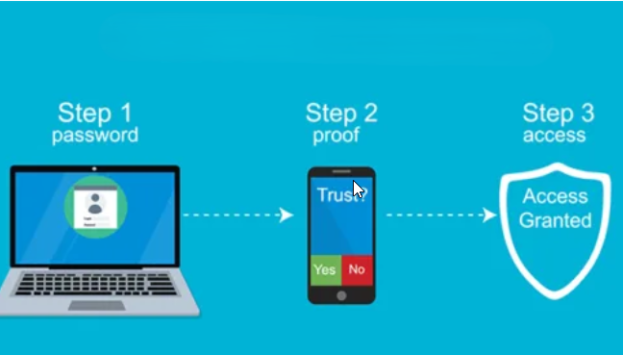
Multifactor authentication (MFA) now live
Multifactor authentication (MFA) is now live for your OP student account.
If you haven't pre-registered, you'll see this prompt when you login.
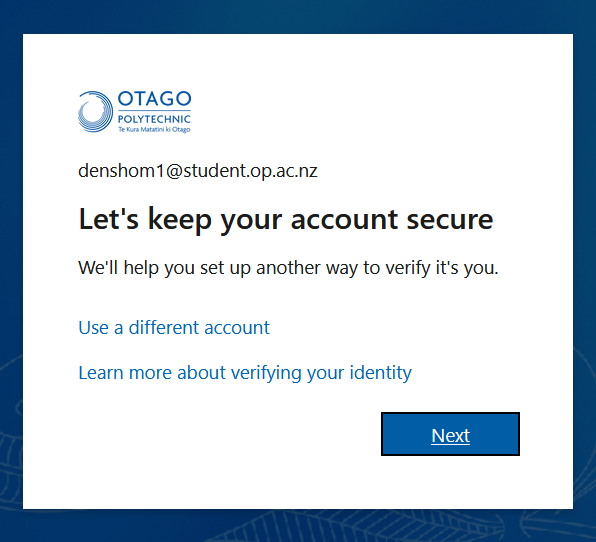
You'll need to complete the registration before you're able to continue logging in.
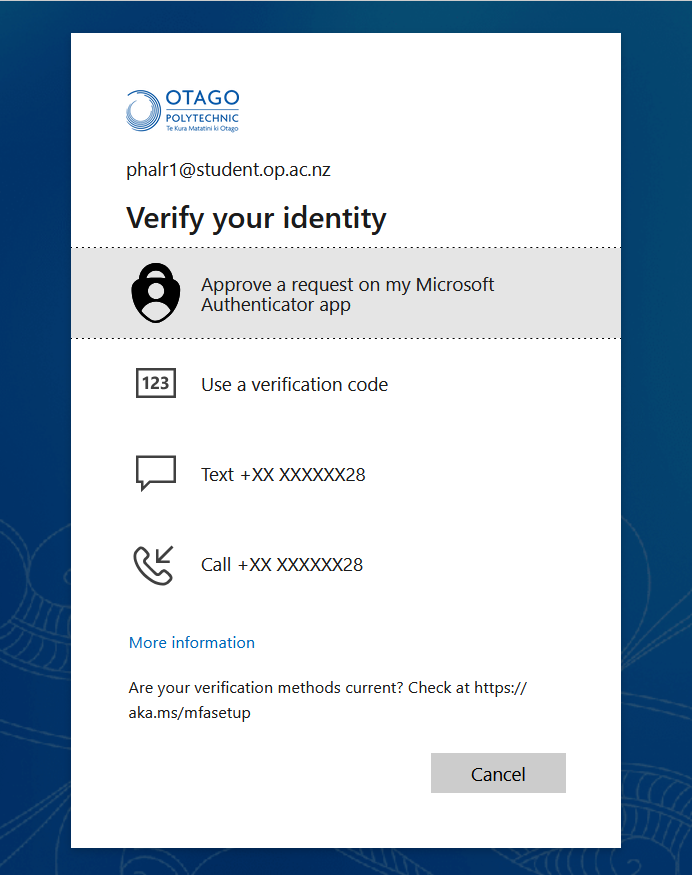
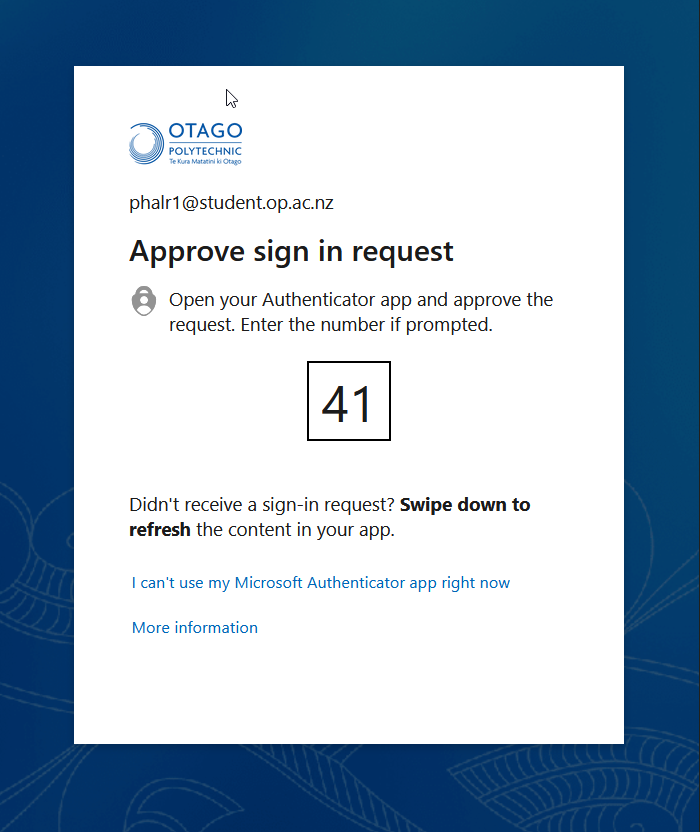
Here are some examples of what you'll see when you're prompted for multifactor authentication. Just follow the prompts for your chosen method.
You won't get prompted for MFA at every login, only when we need to you to verify your identity.
Need help?
Check out this guide to get registered.
You can also contact our IT Service Desk by logging a case, sending us an email or giving us a call on 0800 765 948.
Published on 14 Jan 2026
Orderdate: 14 Jan 2026
Expiry: 14 Jan 2028
related

Birthday party marks 10 years of ākonga support
A special birthday party was held on campus last week, celebrating the 10th anniversary of Te Punaka Ōwheo, our dedicated Māori ākonga support office. Aroun...
Design & Architecture celebrate strong Best Awards
A hand-drawn animated film about a little kiwi, a waterfront pavilion styled as a pīwakawaka, and a public bathhouse embracing the volcanic origins of One Tree...
Want to be the face of Otago Polytechnic?
We are looking for current international students to star in a new series of short videos that will be shared with prospective international students and educat...